0:00
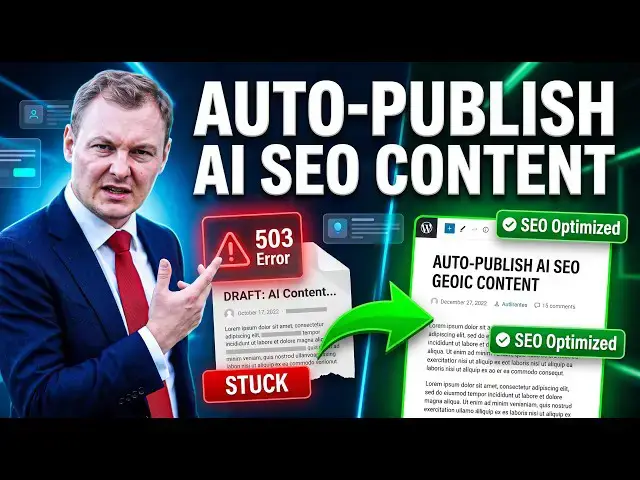
Our blog article has been automatically
0:02
generated and published on my blog and
0:05
we will see how it happened. This is
0:09
thanks to SEO Buddy tool. I had a
0:13
connection issues to my website to my
0:17
WordPress in the previous video. I have
0:19
fixed it by reinstalling the plugin and
0:21
making sure the right hash key is used
0:24
so the server can connect to my website
0:28
and I got actually this email
0:31
from SEO Buddy but the article did not
0:33
reach my blog. So an article was ready
0:36
and sent to the website but it was
0:38
refused so it was not live yet because
0:41
this tool is automatically generating
0:44
blog blog articles based on the keywords
0:47
I want to rank for and can publish them
0:50
automatically but the connection of
0:51
course must work. So this is what
0:53
happened. There was a WordPress error
0:55
503. So I have solved
0:58
this by reinstalling the plugin properly
1:01
and then when I go on my content
1:03
calendar so if I log in to SEO Buddy, I
1:06
go on the left menu to content calendar.
1:10
I can then see what articles are planned
1:12
for my website. They can all be
1:14
generated and published automatically
1:16
provided that you have the right
1:21
for your account. You can of course buy
1:23
a package so I encourage you to visit
1:27
to create an account and generate
1:29
automatically articles. Then this this
1:33
was the article actually. This article
1:34
did not publish so it was in that state
1:37
the same as the next article. It was
1:39
failed. It failed to publish.
1:42
So even though the article is ready so I
1:45
can for example click on read it then it
1:50
as it was generated by the tool so there
1:53
it is stored on the on the staging
1:55
database of the tool before it is
1:58
published so I can review it if I want
2:01
I can review it on the on the staging
2:03
system and change it if I want.
2:06
Once it is ready, it appears here on the
2:08
content calendar and all I did was click
2:10
here on fail. So we will do it again. So
2:12
here, that's what I did. I clicked on
2:17
And then after a few seconds, it went
2:19
from fail to published on my blog. So
2:22
here it's this article published on my
2:23
blog. We can see there is a featured
2:26
image. There is a in short description
2:29
at the beginning, the key takeaways, the
2:32
the pictures are included.
2:35
So we really have really really have
2:37
everything. We have some custom pictures
2:39
AI generated. We have some tables. It is
2:44
easy to create. Here up. Okay, the
2:47
picture is loading. It even include
2:51
links. So here for example, I have a
2:53
link to another article on my blog.
2:56
And this was automatic so it
2:57
automatically generate
3:00
internal links on your website with the
3:03
custom article. So here we see there are
3:07
We saw a link, an internal link to
3:09
another article on my website, on my
3:10
blog, but also links to
3:13
higher authority website. So here we
3:17
copyright.gov. We have a link to
3:19
support.google.com. We have a link to
3:25
website here, another internal
3:29
root of my of my site. And at the end we
3:32
have some frequently asked question. So
3:35
it's a full article automatically
3:38
generated by the tool. It's so easy. You
3:40
basically nothing to do. Just
3:44
start with your website analysis, tell
3:46
the tool what you want,
3:48
make make sure the content calendar is
3:50
filled in, get a plan and wait for the
3:53
article to be published automatically.
3:55
Now, we will publish uh live the next
3:58
article that failed. So, here that
4:00
article failed to publish, the same as
4:02
the previous article. I got an email
4:04
saying that this article failed to
4:06
publish. Actually, maybe it is that one.
4:08
AI image to video. Yes, that's the one.
4:10
AI image to video, how to animate photos
4:12
into cinematic clips. Actually, that's
4:15
Let's simply click on failed. If you we
4:18
just over the mouse, we can see that it
4:20
was not published because WordPress
4:21
answered answered 503 uh error code. So,
4:26
depending on the exact error, you will
4:27
get a different error code. 503 uh means
4:31
the the server failed to respond. So,
4:33
you can Google what what happened
4:35
if you want to know what means the error
4:38
All we have to do now is click. So, I
4:40
will click on this failed button.
4:43
So, here I have more more more details
4:45
about this issue. The article did not
4:47
reach my blog. It was sent automatically
4:50
on the the date. The article is saved in
4:52
the account, and sending it again costs
4:54
nothing. We had a 503 error. Internal
4:57
error while saving the article.
5:00
Whatever the issue is, you can try
5:02
publishing again. That's what we'll do
5:04
Now, we can see that it is sending.
5:07
I just did the same for another article
5:09
before, so I'm pretty confident now it
5:11
will work as well. The server error
5:13
should have been solved
5:16
And it is a pillar article, a tutorial
5:20
for my website based on our keyword AI
5:24
image to video. It is still sending.
5:28
Right. Let's Let's hope this time it
5:33
Okay, we're waiting. Maybe uh because
5:35
although it's a pillar article Oh,
5:36
published. Here we go. It's a pillar
5:38
article, so it's a large article with a
5:40
lot of picture, a lot of text, so that
5:42
might be why it takes some time. And
5:44
And once it is live, simply click here
5:48
on the live button. It opens in a new
5:51
tab your article and here it is live on
5:54
my website. Again, here with a
5:57
feature image AI generated. Um,
6:01
okay, with the title, with the short
6:03
description, with the key takeaways, the
6:04
table of content. If I click on the
6:08
up, I should be redirected to
6:11
Okay, maybe a little issue here. The
6:13
table of content actually does not
6:17
Up, not sure why this is not working,
6:20
regardless, the article is here. It is
6:23
generated or maybe it is still loading.
6:26
Might be an issue. We have the pictures
6:28
included. We have some Wow, very nice
6:31
even technical um, quotes.
6:35
Uh, so a lot of different content.
6:37
Again, a picture that is being loaded.
6:39
So, it's the first time I load the
6:40
article although my cache system in the
6:42
back is working. We have some high
6:45
links. We have the frequently asked
6:47
question at the end as usual and here we
6:49
go, the whole article has been
6:52
published. We had nothing to do,
6:54
automatically generated. So, I had to
6:57
push the publicate the publishing
6:58
because I had a server error.
7:00
But, if you happen to have a server
7:01
error, they will send you an email
7:03
letting you know what happened. You can
7:10
the content calendar and there check
7:13
what happened and click simply on a
7:17
restart the article sending to your own
7:20
website. Simple and uh
7:22
and amazing to increase your website
7:25
SEO. Uh, try the SEO Buddy tool on
7:30
link in description, and let us know in
7:33
comments what you are building.