
🎥 How to Find and Activate Screen Recorder on Xiaomi Poco X6 Pro
Jan 29, 2025

🎥 How to Find and Activate Screen Recorder on Xiaomi Poco X6 Pro
If you’ve just switched to the Xiaomi Poco X6 Pro and can’t find the Screen Recorder app like on older models (e.g., the X3 Pro), don’t worry—it’s still there, just in a different spot. Here’s how to access and use it:
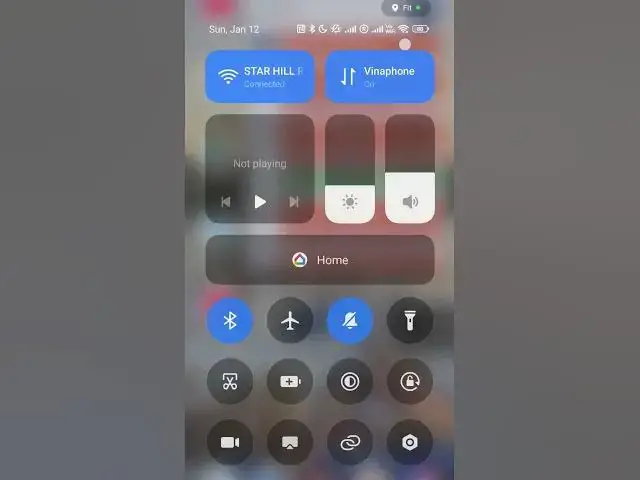
1️⃣ Open the Control Center
Swipe down from the top of your screen to reveal the Control Center.
2️⃣ Locate the Screen Recorder Icon
Look for the Screen Recorder icon (a small camera with a dot).
If you don’t see it, tap on the Edit or Customize button (usually a pencil icon) to add the Screen Recorder icon to your Control Center.
3️⃣ Start Recording
Tap the Screen Recorder icon.
Show More Show Less #Mobile Phones