0:00
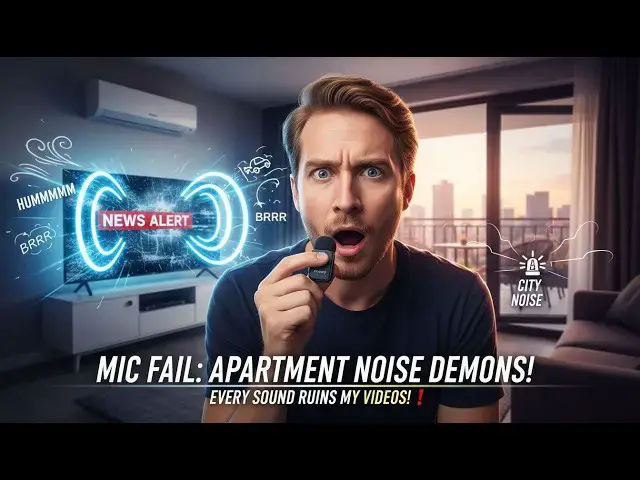
Today we are trying the GT MP2
0:02
microphone and we will do a sound test.
0:06
So here is the microphone I bought in
0:11
and I have here the box. I am now
0:15
recording the sound uh without any
0:18
special setting enabled and I don't have
0:21
enabled the remove background noise
0:23
option on Tik Tok. So first of all I
0:26
will put some noise. The point is to
0:28
check that we can hear my voice clearly.
0:31
Yes, that's the whole point. The I will
0:33
put even more noise. I will open the
0:35
terrace so we hear noise from outside. I
0:37
will turn on the sound on the TV to have
0:39
as much noise as possible. So here
0:44
we have now the climatization noise, the
0:47
outdoor noise and I will even put some
0:52
Yeah. So this is just the sound from my
0:55
phone without anything. Now I will first
0:58
open the microphone. So I am ready to
1:01
plug it later. I've already charged it.
1:07
here we have the microphone. I know the
1:09
sound is bad. That's the whole point.
1:10
We'll see if it's better with the
1:12
microphone. So first of all, this is the
1:15
Tik Tok sound from the phone. Now I will
1:18
activate the remove background noise
1:23
Now is the sound with
1:27
uh remove background noise option
1:29
activated on Tik Tok. Is it better?
1:33
Is it a little better?
1:36
So this is the background noise um uh
1:40
option on Tik Tok and then I will try to
1:43
plug these headphones to to these
1:45
microphones to see if we have a better
1:47
sound. So I have charged them already.
1:50
Here is the plug on the phone. and we'll
1:53
see if the sound is better. First, I
2:12
So, now I have a microphone on.
2:15
Is the sound better? I have both noise
2:18
reduction on the microphone and noise
2:20
reduction on the phone activated.
2:26
uh so here is the noise reduction option
2:29
activated on the microphone. I will now
2:34
Here I have removed the noise reduction
2:37
setting on the microphone and it is only
2:39
the noise reduction from Tik Tok app
2:42
activated. I will now
2:45
uh deactivate the remove background
2:47
background noise option on Tik Tok. So
2:51
now it is the pure terrible sound. I
2:53
have put on purpose over sounds around
2:55
to test the noise reduction. And now I
2:58
will activate the noise reduction on the
3:02
uh GTMP2 microphone. So here one push
3:10
and now the noise reduction option is
3:13
activated on the microphone.
3:16
So let me know if this is better or not.
3:19
Again I have background noise on purpose
3:21
around to check if the microphone is
3:26
U now there is something else. I have
3:31
oops here we go. I have some accessories
3:36
So, here's the microphone and I have
3:41
I have this uh special hair for the
3:46
and we will see if the sound is better.
3:47
So again, I have the terrace open,
3:49
there's outdoor noise, there's
3:51
cinematization, there is TV with fake
3:56
so this is all to test the microphone in
4:00
noisy environment. And here I put uh
4:10
I take the microphone and I will put the
4:13
hair. I don't know if it's uh terrible
4:16
to hear. It might make some noise.
4:20
There you go. I have now the hair on the
4:22
microphone. I will put it back.
4:28
And here I have the GTMP2 microphone
4:31
with noise reduction option activated. I
4:33
deactivated the noise reduction on Tik
4:36
Tok. I will activate it again to check
4:38
if it's different. So now I activate the
4:41
noise the remove background noise option
4:47
And now I have two noise reduction
4:49
activated. So most likely it must feels
4:53
like sounds like a little robotic
4:55
because there are two noise reduction.
4:56
one from the microphone, one from the
5:00
phone from the Tik Tok application. Now
5:03
I have another option on my microphone
5:07
which is a music specific option. I
5:10
don't know if it helps uh with the
5:12
terrible background noise that I put on
5:14
purpose to test the microphone. So we
5:16
have the TV behind uh with a YouTube
5:19
playing some fake restaurant noise.
5:21
There's lot of noise outside. There's uh
5:25
AC on just to put as much noise as
5:29
possible. So now I have the music
5:35
uh I clicked it. So now there is no
5:36
noise activation from the microphone.
5:39
There is from the Tik Tok app.
5:41
And the question is is it better?
5:45
And again I will activate the noise
5:49
reduction also from the microphone. the
5:52
uh Jet MP2 um microphone.
5:58
Here we go. We have now two noise
6:01
reduction activated from Tik Tok
6:05
and from the microphone on which I also
6:07
put this uh I don't know how it's called
6:11
um to get a better noise. I have still I
6:14
am right next to TV with
6:17
very noisy sound just to check it. So,
6:20
this is it. I I just bought this in
6:23
Indonesia microphones. It's about $20.
6:28
Um, no, more $30, $30 US around 24,
6:34
something like that in Indonesia. Two
6:36
microphones with the options to plug on
6:41
USBC or on iPhone. And for each
6:47
uh this special pair. All right. So,
6:50
this was the test. Uh, thanks for
6:52
listening. Apparently, it's much better
6:53
with all noise reduction activated. Now,
6:59
Uh, I turn off the TV.
7:02
Okay. So, this was more noise just to
7:05
test the microphone, test all the
7:07
options and specifically test the uh two
7:10
options on microphone. So, now it is
7:12
noise reduction and I I will click it
7:15
now. And now it's a specific option.
7:19
more related to music noise reduction.
7:22
If we check on the second microphone, it
7:25
might might make some echo because the
7:27
two microphones are next to each other.
7:29
So, we have three options. We are by
7:31
default with noise reduction activated.
7:33
If I click once, I go on the music noise
7:39
And if I again click once, it's without
7:41
any noise reduction. Uh so probably uh
7:46
might be a terrible sound. Um I don't
7:49
know. I will check later. So get uh your
7:55
and uh thanks for watching and I will
7:59
put link in the description to get your
8:01
own microphones. Thanks and have a nice