0:00
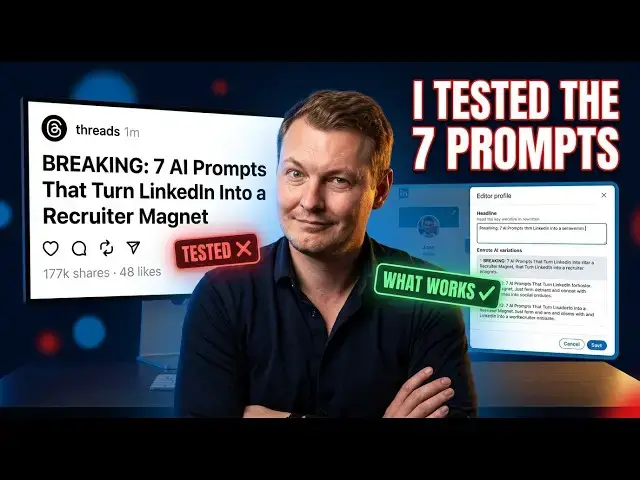
So, I came across this thread on Threads
0:02
the other day. It's from an account
0:04
called the AI Empire, and the headline
0:07
is, I'm quoting directly,
0:09
"Breaking, I asked Claude to upgrade my
0:12
LinkedIn profile. It didn't just upgrade
0:15
it, it turned it into a recruiter
0:17
magnet. Here are the exact seven prompts
0:20
I used." And look, I see these posts
0:24
constantly. Every day there's a new
0:26
version of this. Seven prompts that
0:29
changed everything. The one Claude trick
0:32
recruiters don't want you to know. And I
0:35
get why they perform well. The format is
0:37
designed to get clicks and saves. But
0:40
here's my problem with them. They almost
0:43
never work the way they claim to.
0:46
And I want to actually test this one
0:48
live on my real LinkedIn profile with my
0:51
real information, and show you what
0:54
actually happens when you follow the
0:57
So, I've got three tabs open. The
0:59
thread, Claude, and my LinkedIn profile.
1:03
Let me show you where my profile is
1:06
My current headline, and this is the one
1:08
I had before I did a proper AI-assisted
1:11
rewrite using a completely different
1:15
"Empowering businesses digital
1:17
solutions. Expert in SAP training, data
1:20
governance, project success, AI, web,
1:24
SEO, SEM, ERP, CRM, podcaster." Which is
1:29
honestly a laundry list. It's trying to
1:32
say everything, so it ends up saying
1:35
So, in theory, these prompts should
1:37
help. Let's find out. Prompt number one,
1:45
"Rewrite my LinkedIn headline so it
1:47
sounds like a top 1% operator in
1:51
Make it specific, results-driven, and
1:54
impossible to scroll past. Give me 10
1:58
Now notice something immediately.
2:01
There's a placeholder in there,
2:04
Which means you're supposed to fill
2:09
that's still all Claude has to go on.
2:12
No context about who you actually are,
2:14
no information about your background,
2:16
your experience, your specific niche,
2:19
your target audience, nothing.
2:22
Now in my case, Claude actually does
2:24
know my profile in quite some detail
2:26
from our previous conversations.
2:28
So it's going to produce something
2:31
But if you're a normal person copying
2:33
this prompt cold into a fresh Claude
2:35
session, you're going to get something
2:39
Let me run it anyway and show you what
2:45
Even when Claude has some context.
2:47
Okay, so it gives me more than 10
2:49
variations, which sounds great until you
2:52
realize you have to choose one. And
2:55
they're all over the place
2:56
stylistically. Some lean professional,
2:59
some lean provocative, some are clearly
3:02
written for a recruitment audience. Some
3:04
would work better on a personal brand.
3:06
How are you supposed to pick?
3:09
The prompt doesn't tell you.
3:10
There's no filter, no criteria, nothing
3:13
to help you narrow it down.
3:15
What I actually do in this situation,
3:17
and this is the move, is export my
3:20
LinkedIn profile as a PDF and give it to
3:25
Let me show you that.
3:27
You go to your LinkedIn profile,
3:30
click the more button,
3:31
and there's an option to save to PDF.
3:35
It downloads your full profile as a
3:38
I upload that into Claude and run the
3:41
headline prompt again with that context
3:45
Now the variations are more relevant,
3:47
more specific to my actual background.
3:50
But I still have 10 of them, and I still
3:55
The prompt hasn't solved that problem at
3:58
So, here's what I do next, and this
3:59
isn't in the thread anywhere.
4:01
I ask Claude to rate its own answers.
4:04
To look at all 10 variations and score
4:06
them against specific criteria.
4:09
Clarity, CEO relevance for my target
4:11
audience, and whether it would actually
4:13
make someone stop scrolling.
4:16
That's useful. That's a prompt the
4:18
thread didn't give you.
4:20
And even after that, the one Claude
4:21
ranks highest is still quite technical
4:23
and niche. It needs editing.
4:26
The thread implied these prompts would
4:28
give you finished, ready-to-use output.
4:31
That's not what's happening. Now, I go
4:33
to LinkedIn to actually update the
4:36
And here's where real life intrudes.
4:39
My LinkedIn loads slowly.
4:41
And because my primary profile language
4:43
is French, everything is slightly more
4:45
complicated than it should be.
4:48
I have to navigate to the right section,
4:50
find the English version of the profile,
4:52
and make the change there, rather than
4:56
It takes a few minutes of clicking
4:59
Eventually, I get there, paste in the
5:01
chosen headline with a few manual edits,
5:06
But, it was not the smooth 2-minute
5:07
experience the thread implies.
5:10
Prompt two, the about section rewrite.
5:16
Turn my about section into a story that
5:18
hooks recruiters in the first two lines.
5:22
Use the PAS framework.
5:28
Keep it under 2,000 characters, and end
5:34
This one actually works considerably
5:36
better. The PAS framework is a real
5:39
copywriting structure. The character
5:41
limit is a real LinkedIn constraint, and
5:43
asking for a CTA is sensible. When I run
5:46
this one, Claude produces something
5:48
genuinely usable. I take the output,
5:50
make a few small tweaks to make it sound
5:52
more like me, and update the about
5:54
section on LinkedIn. This part of the
5:56
process is quick, and the result is
5:58
solid. Credit where it's due, prompt two
6:03
The experience glow up.
6:06
Rewrite each of my job descriptions
6:08
using the XYZ formula.
6:11
Accomplished X by doing Y resulting in
6:16
Add metrics where possible.
6:18
Make me sound like I drove real impact,
6:21
not just managed tasks.
6:23
This one sounds powerful, and the XYZ
6:26
formula is genuinely useful for framing
6:30
But the problem is the same as prompt
6:33
No context means Claude has to invent
6:38
And when you don't give it your actual
6:42
So, you get things like increased
6:44
efficiency by 40% or improved team
6:50
which are completely made up, and you
6:51
know they're made up. And if a recruiter
6:54
ever digs into them, you're going to
6:58
I copy a few of the job description
7:00
rewrites, and manually edit them to
7:02
replace the fabricated numbers with real
7:05
ones, or remove the metrics entirely.
7:08
The structure helps, the specific
7:10
numbers can't be trusted. Prompt four,
7:14
the skills and keywords audit.
7:17
Act as a LinkedIn SEO expert.
7:21
Based on my target role of role,
7:24
list the top 25 keywords recruiters
7:28
Tell me which ones are missing from my
7:30
profile, and where to insert them
7:32
naturally. And here's where the whole
7:34
thread starts to unravel.
7:37
Because by this point, Claude has
7:39
already rewritten my headline with
7:41
certain keywords, rewritten my about
7:44
section with different keywords, and
7:46
rewritten my job descriptions with yet
7:49
another set of keywords.
7:52
And now when I ask it to audit my
7:53
keywords, it gives me a list that
7:56
contradicts what it just told me to
8:00
Keywords that were prioritized in the
8:02
headline are absent from the keyword
8:06
Keywords that are in the keyword list
8:08
don't appear in the about section we
8:12
The prompts aren't connected to each
8:15
They were clearly written as standalone
8:18
tools, and the person who wrote this
8:20
thread never actually tested running all
8:23
seven in sequence on a single real
8:28
Because if they had, they would have
8:29
caught this immediately.
8:32
The whole approach falls apart.
8:34
So, here's my honest conclusion after
8:37
spending 16 minutes going through this
8:39
properly with my real profile.
8:41
These threads are content, not tools.
8:45
They're designed to get saves and shares
8:47
and comments saying, "This is gold."
8:50
from people who copy the prompts into
8:52
Claude, see something come out, feel
8:54
productive, and close the tab without
8:57
ever actually finishing the job.
9:00
The prompts look impressive in a thread
9:01
format because you never see the
9:05
You never see the person asking three
9:07
follow-up questions, manually editing
9:10
going back and forth between tabs,
9:13
dealing with a slow LinkedIn interface,
9:16
fixing contradictions between sections.
9:19
You just see seven clean bullet points
9:23
Are some of these prompts useful
9:28
The about section prompt is good.
9:31
The XYZ formula for job descriptions
9:33
gives you a framework worth using.
9:37
But they're starting points, not
9:41
And the way they are presented, exact
9:43
prompts, recruiter magnet, breaking
9:47
that framing is designed to make you
9:49
believe the work is done when it isn't
9:55
Having an AI that knows you.
9:58
Not pasting prompts into a fresh
10:00
conversation and hoping for the best.
10:03
But building a setup where the AI has
10:05
your full professional context,
10:08
your background, your positioning, your
10:12
the specific results you've actually
10:15
the tone you want to strike.
10:18
When Claude knows all of that, you don't
10:21
need seven magic prompts.
10:23
You just ask what you need, and it gives
10:25
you something genuinely useful on the
10:31
That's what we've built at
10:35
It's a second brain setup designed
10:37
specifically to give you that kind of
10:39
personalized AI assistance.
10:41
One that knows your context and can
10:44
actually help you improve your LinkedIn,
10:46
your content, your positioning, whatever
10:49
you're working on, without you having to
10:51
start from scratch every time.
10:54
The link is in the description.
10:56
Worth a look if you're tired of prompts
10:58
that promise everything and deliver
11:00
something you still have to fix