0:01
Today we will see how to increase or
0:04
decrease the volume of a video. For
0:07
example, here I have different videos
0:09
for an online course that I recorded on
0:11
my computer. And if I if I open a video,
0:13
you will hear the sound is very low.
0:17
>> Welcome to module six networking and
0:20
>> so here you heard the sound is very low.
0:22
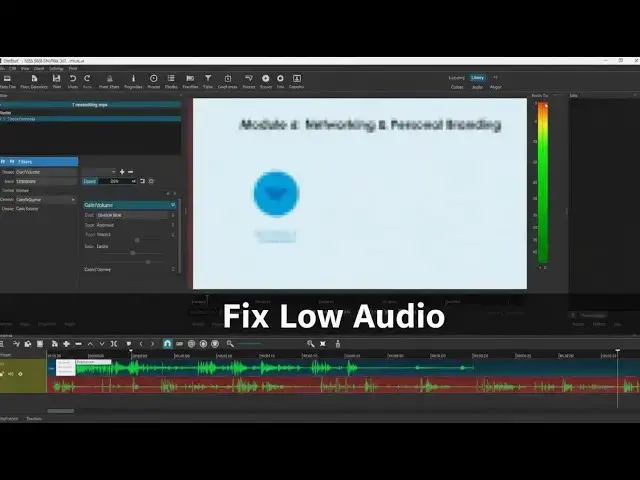
So what I I do to increase audio volume
0:27
is uh to download first of all the
0:29
application shortcut. It's open source
0:31
and free to download and to work with.
0:33
Once it's done and installed on your
0:35
computer, simply drag and drop your
0:39
videos from your uh Windows Explorer to
0:44
And once that the case, select the
0:46
videos, drag and drop it over the
0:49
timeline, put it at the beginning of the
0:51
timeline. And once the audio volume, the
0:55
audio levels are visible here on the
0:57
timeline. Make sure you've selected the
0:59
right video. And we can increase or
1:01
decrease the volume. So to do that, we
1:04
will go in the filters tab. From the
1:07
filter tab, click on add a filter. And
1:11
here we will select the gain volume
1:14
filter. Now by default we are at level
1:21
uh this from to the left we will
1:24
decrease audio volume and if we drag it
1:26
to the right we will increase audio
1:28
volume. I will just reset it and show
1:31
you what's happening when I play the
1:33
>> Welcome to module six networking and
1:35
personal branding. Our final module. So
1:38
you can see on the right side I have the
1:40
audio level visible when I play the
1:43
video. What I uh we want to do is to
1:46
increase this audio volume to the top.
1:49
But we don't want to saturate the sound.
1:52
So we'll make sure that we don't go in
1:54
the red level um that we stay in what's
1:57
um what we can hear on the video. So in
1:59
my case as we will see it's around 15
2:02
decibel um increase but it depends on
2:05
your video on the audio level you had
2:08
when you recorded what it depends on
2:10
your own settings. I will just show you
2:12
my example and you have to find what
2:14
works for you. So first of all let's
2:16
just see what happens when we decrease
2:19
>> Networking is one of the most valuable
2:23
As we can see, we decreased the volume
2:25
and now we hear nothing, which is of
2:27
course expected. But if you have
2:30
saturated audio, you might use it to
2:33
decrease the audio volume of a video.
2:36
Now we are here to increase the volume.
2:38
So if we go back to um default level, we
2:41
will increase gradually until we get the
2:44
level audio level to the maximum without
2:46
saturating the sound.
2:48
>> Professional networking. How to optimize
2:51
your profile and connect with others on
2:53
the world's largest profession.
2:55
>> As we've seen here, when we reached or
2:59
as we heard when we increase the audio
3:01
volume to the maximum
3:04
uh we uh saturated the sound. So we will
3:06
go down gradually or go up from the
3:09
default value to keep the volume in the
3:12
green zone and not having any saturated
3:15
sound sound. and we will see in my
3:17
example it's around 15 decibels
3:19
>> network. These skills will help you
3:21
build a strong professional reputation
3:23
and open doors to new opportunities.
3:25
Let's start with networking at
3:27
Conferences, trade shows, and industry
3:30
events are perfect opportunities to
3:32
build your So, as we can see here with
3:36
this increase of 15 decibels, now we are
3:39
staying in the green zone. This is done.
3:41
We can now export our video and the
3:44
sound will be increased to the desired
3:47
level. So we go to the file menu. Then
3:50
select export then export video audio.
3:54
Can also use keyboard shortcuttrl + e.
3:59
Then enter name for your file
4:03
and the job will be cute. So for example
4:05
here I have seven videos pending. Uh so
4:09
two are already done and I have five
4:11
more videos pending uh job. So audio
4:15
increase volume for the video and saving
4:17
on the computer. All this on shortcut a
4:21
free uh Windows application to download
4:22
an open source project.