Up next in 10


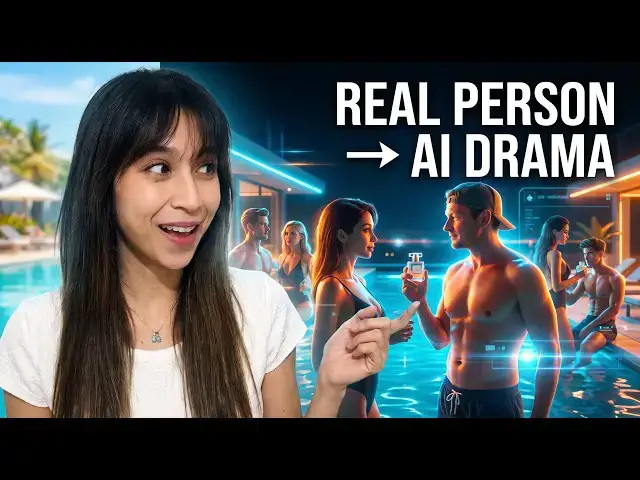
My AI micro drama universe just got a new character — and this time, a real person agreed to join the story. 🎬
👉 Try the AI Photo Generator: https://yb.digital/photo
👉 See the generated micro drama: https://youtube.com/shorts/t5QRvD6_KG4
In this episode, I introduce Anna, a new character based on a real collaborator, and use AI to place her alongside my existing characters.
I create a new 30-second vertical micro drama using reference images, character profiles, voice and a custom story. The plot? Anna is waiting for Michelle at their first date while he is distracted at the pool. 😅
Getting the AI to generate exactly what I wanted wasn't completely smooth. I ran into a voice/reference issue and one generation failed — but the credits were refunded, so I could try again with a simpler prompt.
Eventually, the AI generated the scene, and the result became the next chapter of this ongoing fictional universe.
The tool can also create images, extend videos, edit videos, change camera angles, upscale footage, create voiceovers and much more.
👉 Try it yourself: https://yb.digital/photo
And yes — if you're going to put another real person into your AI-generated story, make sure they actually agreed to participate. 😉
#AIMicroDrama #AIVideo #AIStorytelling #AICharacter #AIFilmmaking #AIContent #AIVideoGenerator #MicroDrama #AITools
Show More Show Less View Video Transcript
0:00
created some AI micro drama with a
0:03
character based on myself looking at
0:06
girls passing next to the swimming pool.
0:08
Then another micro drama where actually
0:11
the girls
0:12
were sitting at the poolside and the AI
0:17
invented some drama happening with the
0:19
character looking at them and another
0:21
one being jealous. And today we will
0:23
expand this small AI micro drama
0:26
universe with a new character.
0:28
So, someone agreed
0:31
well actually asked to join my next
0:33
micro drama. So, let's let's do it and
0:36
let's see what we can do. So, first of
0:38
all, we have
0:40
an amazing
0:42
option here. We can extend the video.
0:45
So, when you have a video you like, you
0:47
can simply add 5 seconds, 8 seconds of
0:51
video by describing what will happen in
0:54
the next step. So, this is an easy way
0:57
to make longer videos. So, start with
0:59
something small and then slowly expand
1:04
by adding scenes one after the other.
1:07
But here we will actually create a new
1:11
a new scene.
1:12
So,
1:14
what what we'll do
1:16
Oh, no, we don't want to restyle. We
1:19
want to
1:22
get the details but we don't really have
1:24
the
1:25
details. So, what we'll do we will go
1:28
back to characters. And here we have our
1:31
character library. We have Michelle
1:34
Pinson
1:36
with four different
1:38
different pictures.
1:41
And I have a new poolside picture so
1:44
we'll replace for example the last
1:47
picture
1:48
with a new one here.
1:53
Oops.
1:55
Oh.
1:57
I cannot drag and drop. Okay, so here I
1:59
will
2:01
replace the main picture with that one.
2:06
Let it download.
2:09
Remove the last angle, but I will
2:11
re-upload my
2:13
previous angle, which was pretty good if
2:18
I can find it here.
2:20
All right, so now I have a a few angles.
2:23
Let's just let
2:26
the system download the videos in high
2:28
resolution. Of course, the higher
2:29
resolution your pictures
2:34
the better it it will be
2:36
because the AI will be able to generate
2:40
more details and the more
2:42
angles you have, the same way the AI
2:45
will have more idea what you look like.
2:47
Okay, so I change the main picture and
2:49
now I introduce new character. So I have
2:53
her image.
2:55
And here we have Anna.
3:00
So let's enter her name. I don't have a
3:02
voice, but I will select a voice to make
3:05
sure it selects a
3:07
a voice. So for example, she's a
3:09
confident woman.
3:12
So I don't know, let's say
3:14
Anna is a
3:16
confident,
3:17
good
3:19
looking lady. She wanted to date with
3:25
Michelle.
3:27
But
3:28
he is busy with
3:31
other
3:32
women.
3:34
Okay.
3:35
Something like that. Let's keep it
3:37
simple. And here we go. Anna is ready
3:40
for the spotlight. And Anna is looking
3:42
forward to be in my next video. So now
3:45
that we have our characters, what we
3:48
what we can do is go back to
3:50
our video creation. If you want to
3:52
generate videos, use the link in
3:54
description or go to yb.digital/photo
3:58
to use photo generator, which is an
4:01
amazing tool.
4:05
All right. Next step, we will create
4:10
a text with a reference.
4:13
So, we will give some text
4:15
and use reference. So, yesterday we used
4:18
the clean
4:20
Oh, now I'm not sure. Now, you see dance
4:22
2.5. So, we will use again dance 2.5
4:24
because it can create videos up to 30
4:27
seconds, which is what we will do. Now,
4:29
we will introduce our characters. So,
4:32
first of all, we have
4:33
our main character Michel Pinson. We
4:35
have our new character Anna.
4:39
And uh we have a No, I'm not sure who I
4:42
selected. Uh yesterday, I think there
4:45
was Nia. I think there was Lana. So,
4:48
let's just take uh two of them.
4:51
Uh and I think there was me. Okay, let's
4:53
just take two of them. It's enough.
4:56
All right, we add these characters to
4:59
uh
5:01
to here. And we can also add, for
5:03
example, some elements, but this is more
5:05
to create uh
5:07
advertisements.
5:09
All right. And now we need to give a
5:11
little backstory
5:13
because we want to
5:15
uh uh
5:16
we we want to know where we are going.
5:18
So, here we need to give a prompt. So,
5:22
in the prompt,
5:23
uh what we will say is uh for example,
5:26
Anna was waiting
5:29
for Michel
5:31
Pinson
5:33
at the
5:35
date location they agreed. Uh for
5:39
example,
5:40
uh
5:43
beachfront
5:45
rooftop. Uh she is getting angry because
5:52
Michelle is not there.
5:55
Um
5:57
and
5:59
he was actually
6:01
meanwhile
6:03
uh
6:05
chilling in the pool.
6:07
Chilling in the pool watching
6:11
over
6:13
women.
6:15
Oh, actually we need to reference uh
6:17
Lana.
6:19
And so by using the at
6:22
symbol, we can do that. So, let's do it
6:25
again. So, Anna
6:29
to reference Anna. So, Anna was waiting
6:32
for
6:34
Michelle.
6:37
Oops.
6:39
For Michelle
6:41
because
6:45
or maybe not maybe not angry but
6:47
impatient.
6:49
Impatient.
6:53
He is late.
6:56
And she is
6:59
getting upset.
7:03
Make an
7:04
uh
7:05
micro drama
7:09
uh
7:11
with
7:12
uh
7:13
with suspense and
7:16
ending
7:17
twist.
7:19
Um I just say that uh because
7:21
he was
7:23
actually distracted
7:29
and
7:31
forgot
7:33
about that.
7:35
That first date, let's say. Maybe they
7:38
don't know each other.
7:39
So, he's late, she's getting upset, make
7:41
her mom called drama with suspense
7:44
and
7:46
ending twist.
7:49
Uh
7:50
all right.
7:53
That first date with Anna. So, let's
7:56
give as much
7:58
detail as possible.
8:01
So, this is so good. You just have to
8:03
select the characters
8:06
and
8:07
say what they what they will do. All
8:09
right, I think now it's good.
8:12
Make sure we want to create 30 seconds
8:15
video. This time I think we'll
8:19
put it in 9 16
8:21
to have a good resolution. Let's keep it
8:24
480p so we will save on some credits. We
8:27
do it just for fun. Of course, if you
8:28
want to create something more
8:29
professional, you should choose the
8:30
higher resolution. It will cost 390
8:34
credits.
8:35
And
8:37
this should be fun. So, let's go create
8:39
videos. I think we are now
8:42
ready.
8:43
Uh
8:44
reference audio
8:46
duration. Which audio?
8:49
Uh
8:51
reference audio total duration
8:54
must be 15 seconds or less. Oh, what is
8:56
this?
8:57
Uh we don't have a reference audio.
9:01
Okay, now I'm getting a little confused
9:03
because I didn't give any
9:06
audio.
9:10
Okay, so let's just copy paste.
9:15
Oh, so here we we are facing a little
9:19
issue because
9:20
I want some voice inside. I did not give
9:25
any audio and I am getting a
9:27
narrow about the reference audio total
9:29
duration
9:31
must be 15 seconds or less. But
9:33
yesterday
9:34
Oh, maybe No, I created a 30-seconds
9:36
video
9:38
with audio.
9:39
Okay, so maybe we have to keep it 15
9:41
seconds. So, let's try to keep it 15
9:43
seconds. I don't know why yesterday it
9:45
worked and today it did today it
9:47
doesn't. Yesterday I did not
9:49
uh reference any character.
9:52
So, maybe that's the difference.
9:56
No. What is the reference audio total
9:58
duration? Okay.
10:00
I don't uh
10:02
know what's happening.
10:06
So,
10:09
Oh.
10:10
Now, this is my uploading images.
10:14
Reference audio. Ah, so there's probably
10:17
an issue
10:19
an issue an issue with the voices. So,
10:21
let's go to my characters.
10:24
Let's check what happens with the audio.
10:27
So, this should be the reference audio.
10:33
Welcome to V-
10:36
Okay, maybe it's because for this
10:38
character I selected a voice. So, let's
10:41
remove the voice and confirm and let's
10:44
see if it works better. That might be
10:46
the reference audio they are talking
10:48
about. I go back to text with reference.
10:51
I have to
10:52
start again.
10:55
Ah, first I have to select my characters
10:57
again.
10:59
And hopefully that was the issue. I have
11:02
Michelle, I have Anna.
11:05
I have uh Lana, I have May. I think they
11:08
were the characters from yesterday's
11:10
video. I am not sure. Cuz if you want to
11:12
do something more professional, you
11:13
should definitely double check that. So,
11:16
at
11:18
Anna was waiting for
11:20
I did copy-paste the text and it doubled
11:24
all the references. At least they are
11:27
easy to spot.
11:30
Here go.
11:35
It's Anna and May.
11:41
Anna and May and forgot
11:44
about that first date with
11:46
Anna.
11:49
He's late and she's getting upset. All
11:51
right, so now we are back at it. Let's
11:53
select again the model. Maybe let's I
11:55
use the opportunity to improve the
11:57
prompt better the prompt
12:00
uh was a bit
12:02
a bit from looked up. She looks stunning
12:07
as she was
12:09
ready for a
12:12
classy date.
12:14
So, let's introduce the word classy.
12:16
She's getting impatient because Michelle
12:18
is not there and he was actually
12:20
distracted meanwhile chilling in the
12:22
pool watching other women.
12:25
But, he don't even know that he doesn't
12:28
even know and forgot about that first
12:31
date with Anna. He's late and she's
12:33
getting upset. Make a macro tomorrow
12:34
which is okay. Now, can we create a 30
12:38
seconds video in 1916 in 480p format?
12:42
Was that the issue?
12:45
Let's click on creating. Yes, that was
12:47
the issue. So, actually the voice I
12:50
selected for this new character Anna
12:52
somehow
12:53
uh did not work out. I do not know why.
12:57
It's pretty strange. But, okay. Uh
13:00
that's not so important. Maybe if if I
13:03
she's still staying in the next videos,
13:04
I will ask her to provide um a voice uh
13:10
a voice
13:11
uh for her reference. All right, so now
13:13
we are starting to create this
13:16
uh this video. So, meanwhile let's
13:19
double check actually which models I
13:21
used in other videos. So, in this video
13:23
the models Oh, yes. It was Anna and May
13:26
and Mia was the magical one hiding uh
13:29
behind and seeing that I look at the
13:31
ladies instead of uh
13:34
I don't know what.
13:35
All right. So, now the text with
13:37
reference
13:39
is coming.
13:41
Let's wait a few minutes. Yesterday, I
13:44
think it took 3 minutes to create.
13:47
Meanwhile, of course,
13:49
create a free account on
13:51
yb.digital/photo,
13:53
this amazing tool. You can get
13:56
uh
13:57
you can buy some credits to create
14:00
amazing content. Oops. So, if we have a
14:02
look at the pricing, meanwhile, you can
14:05
see that the plans, uh depending if you
14:07
want monthly, yearly, or pay once,
14:11
they start at $10
14:13
a month for the starter plan. And of
14:16
course, if you want to create a lot of
14:17
amazing content, get the max plan, a
14:20
yearly subscription for $89. You can
14:23
create so many uh videos. So, here with
14:27
a 400
14:29
credits, I can create a 30-second
14:32
video. So, with
14:34
uh with this with a 63,600
14:36
uh credits, you can create just uh so
14:40
many video uh
14:42
like
14:44
uh around 150
14:46
uh short videos, 30-second videos. With
14:48
the starter plan, you can
14:50
uh you can create around 10 videos.
14:53
Uh with this amount of of credit in a in
14:55
a year, and with the pro plan, uh you
14:58
can create uh
15:00
probably around
15:02
uh around more than 50 videos in a year.
15:05
If you go for the monthly plan, you have
15:07
the starter, the pro, the max plans
15:10
uh with different amounts of credit.
15:12
With the pro plan, you can select how
15:14
many credits you want. That's why it's
15:16
the most popular
15:18
option here, because you can just use
15:20
this uh slide button to select if you
15:22
want 1,000 credits. 1,000 credits is
15:25
around three videos of 30 seconds. And
15:28
if you go up to 3,300 credits, you can
15:32
create around uh
15:35
uh
15:37
uh around nine No, eight, nine videos of
15:40
30 seconds. Here we go. You can also pay
15:44
once, of course. And if you pay once,
15:45
you can select the amount of credits you
15:47
want. The max pack will give you the
15:50
best value. You can create select one
15:52
video, create it, extend it, and go so
15:55
far with one plan. All right.
15:58
Now,
15:59
uh meanwhile
16:01
how are we Well, the video still
16:02
created. So, let's check all the tools
16:04
we have because we have so many tools
16:07
here in this photo generation The
16:09
generator tool is so easy to use to
16:11
create videos. We can create
16:13
a
16:15
Uh text with reference is what we are
16:17
using now because that's my favorite
16:19
tool. You just give a picture, as we saw
16:22
in another video, or you give a little
16:23
context, as we do now, and we end up
16:27
with amazing videos. So, here we are
16:29
creating micro drama. You can create
16:31
anything you want. You can also use
16:33
frame to video. So,
16:35
uh you start with one frame that will be
16:37
included in the video, and it will
16:40
expand on the video. It's very useful if
16:42
you want to
16:43
create, for example,
16:45
a photo video montage. So, you start
16:47
with the last frame of one video to have
16:49
it in the as first frame of the next
16:51
video. And by creating video after video
16:53
like that, you can have a
16:56
nice content. And they have a lot of
16:58
other things. Smart shot, edit video,
17:00
motion sync, lip sync, upscale video. If
17:03
your video is blurry, or the the
17:06
the video quality is not good enough,
17:07
you can use this tool to upscale it. Uh
17:10
you can extend video. So, this we will
17:12
see in the next video. We will create a
17:14
video, and then we will use this extend
17:16
tool to add scenes at the end of the
17:18
video. It costs so few credits, so you
17:20
start with um
17:22
a video and then you extend it. It costs
17:25
much less credit than starting a video
17:27
from scratch. Of course, then your
17:29
script must be uh according to that. You
17:32
can out add some effect video, restyle
17:34
videos, and they also have image tools
17:37
such as image generator, image upscale,
17:39
camera angle angle control, face swap,
17:42
remove background, style transfer, image
17:44
edit, and more.
17:45
And
17:46
some audio tools, create music, create
17:48
voice over, create clone, voice changer.
17:50
So, we use the voice over. The
17:52
Michelle's voice is a voice over. It's
17:54
based on my voice, this voice that you
17:56
hear now. I'm using it in the video for
17:58
my character that I created. So, I
18:00
created character. I added images. I
18:03
didn't add um
18:04
videos, but that would be a an idea
18:07
maybe for later. You can also do talking
18:09
videos and motion sync. Now, let's check
18:13
what's happening with our video. It is
18:15
still creating, maybe although because I
18:18
gave it a lot of context, so it should
18:20
be very precise. It should be a very
18:24
good uh
18:25
video, hopefully.
18:28
So,
18:29
maybe before it is ready, we can just
18:31
have a look at the video that was used
18:33
previously and on which we want to
18:35
continue.
18:39
>> This place is magical.
18:41
It really is.
18:43
I'm so glad you brought me here.
18:46
>> You seem to be enjoying yourself.
18:49
>> Uh-oh.
18:53
And you seem tense.
19:00
>> I'm just observing.
19:09
>> This place is magical.
19:11
>> Okay, let's see.
19:13
So, in the previous episode of this
19:15
micro drama, one character was by the
19:18
poolside. He saw some other women on the
19:22
pool. Another woman was jealous. And
19:25
meanwhile, for our current video, he
19:27
forgot
19:28
about his date. So, hopefully it is
19:31
coming up. And anyway, the idea is that
19:35
you can include anyone you want. So, of
19:38
course, yourself, of course. If you
19:40
include other people, you should make
19:41
sure they agreed to be included in that
19:44
video, which is the case here.
19:47
Um and you can by giving context, by um
19:52
having a good script, you can have these
19:54
characters do pretty much whatever you
19:57
want. Oh,
19:59
generation failed.
20:02
All right, generation failed. Uh so,
20:05
let's
20:07
try to
20:08
regenerate.
20:11
I just didn't put some. Maybe I gave too
20:13
much. Okay, let's try again.
20:17
Uh maybe I gave too much
20:20
context.
20:23
Uh
20:27
oops.
20:29
So,
20:31
uh
20:35
Okay, I'm not sure what happened with
20:37
the prompt. So, let's try again.
20:42
They agreed
20:44
with
20:45
Michelle
20:49
because he's not there
20:55
as he is distracted
20:59
at the pool
21:01
by
21:05
Let's try again. My Lana and
21:10
May. So, maybe I went a little too far.
21:15
Okay, let's add again the references.
21:19
Oops.
21:20
And May.
21:28
Hey.
21:29
Okay.
21:38
Anna to say
21:40
is waiting for
21:44
Michelle.
21:54
Okay. So,
21:56
good. Less references make it more
21:58
simple. We still have 30 seconds. Let's
22:00
try to
22:02
create
22:03
the video again with a different text.
22:08
And now let's just have a look at the
22:10
credit. So,
22:11
uh
22:14
As you can see, when we try creating
22:18
So, here we go. I tried creating a
22:21
video.
22:22
It consumed 390 credits, but because it
22:26
failed, they refunded me the 390 credits
22:30
video for the video. So, which is pretty
22:33
pretty nice. Um I had the same uh
22:38
No, I didn't have the same. Okay. I
22:40
thought I had the same story yesterday,
22:42
but no.
22:44
Okay, so this is very nice tool. If
22:47
there is an issue in your video
22:48
generation, they will refund you the
22:51
credits.
22:52
So, it's very very nice.
22:55
So, you you should not be afraid to try
22:59
new things. Now, let's hope this will
23:02
get a little faster this time and
23:04
hopefully
23:06
it will this time succeed
23:09
and not fail again. So, meanwhile,
23:12
everything you can create here. Oh, yes,
23:14
I had some failed creations, but they
23:16
are not in the history anymore. You can
23:17
also use the tool to
23:20
style yourself in different formats. For
23:23
example, here I styled myself as a Lego
23:25
character.
23:27
Uh you can, as we've seen, create
23:30
videos. So, the prompt must be a good.
23:33
Maybe my previous prompt was prompt was
23:36
too detailed for a 30-seconds sequence,
23:40
especially with voice.
23:43
Uh maybe it's it's too much. So, this is
23:45
also something difficult, especially
23:47
when we start with AI. We we don't know
23:51
what is enough, what is too much.
23:53
Uh you can start by giving nothing at
23:55
all, but if you give nothing at all, it
23:57
will probably
23:59
not be good enough. So, let's see again.
24:01
Maybe it's because I have too many
24:02
characters. If it fails again, I will
24:04
just uh remove
24:06
the fictional characters and just leave
24:09
um
24:10
just leave the two characters, Anna and
24:13
Michelle,
24:14
and make the prompt more simple with
24:17
just these two characters having a
24:20
having something.
24:22
So, let's see how long it takes.
24:26
Oh, now it is becoming so long
24:32
to generate this.
24:40
All right.
24:45
Uh
24:46
it is now generating. So, what else can
24:50
we see?
24:51
Um
24:52
here we have all the video tools. So, we
24:54
tried the text with reference. This is
24:56
my favorite, so I'll pin it to the
24:58
sidebar. And if I pin it to the sidebar,
25:00
I have a quick access to the tool.
25:03
Up, I can hide and show the sidebar.
25:06
Um
25:07
We can create so many. So, frame to
25:08
video, as we explained, we just use one
25:11
picture and generate the video from that
25:12
picture starting with that frame. The
25:15
smart shot
25:17
um
25:19
the smart shot video will
25:22
create anything based from
25:26
from a
25:27
character photo and scene description.
25:31
So,
25:32
it will put your character in totally
25:34
different situations because here in
25:36
text with reference, it kind of uses
25:39
what was given for the characters.
25:42
In edit video, you can do anything you
25:46
want. You can change anything in the
25:48
video. So, for example, you can remove a
25:50
character from a video.
25:53
Or you can put a character in a from a
25:55
video in another location.
25:58
With motion sync,
26:00
up.
26:01
If you have a character and a motion
26:03
reference, you can put this character in
26:05
that motion. So, for example, you can
26:07
make yourself dance
26:09
if you have a video of another dance.
26:12
With lip sync, this one is pretty
26:14
simple. So, it will
26:17
adjust the lips to an audio
26:22
uh as a video.
26:24
With upscale video, if you have a
26:26
low-quality video,
26:29
for example, here, before the video was
26:32
blurry and after it looks better, so it
26:36
it basically makes every single frame
26:39
look better and more sharp.
26:43
And this is the tool I will check soon.
26:45
Extend video, we'll see it in the next
26:47
video. So, you can
26:49
extend a video. For example, here, this
26:51
5-second video here has been extended to
26:54
10 seconds. So you can start with any
26:56
video and extend it, make it longer. If
26:59
you have enough credit for example you
27:01
can take a short video and turn it into
27:04
long movie. And here we go. We have our
27:06
video ready. Let's have a look at it.
27:08
Hopefully it's amazing. Try the tool
27:12
the link in description
27:14
yb.digital/photo.
27:37
>> Hey, easy there.
27:43
Oh no, I'm late.
Science