Up next in 10


I tested the new Wan 3.0 AI video model on OpenArt to see how far it could go with just my own images — and the results were surprisingly good.
👉 Try OpenArt: https://yb.digital/art
Wan 3.0 can turn a single image into video, use reference images, generate audio, and create videos up to 30 seconds long. OpenArt currently offers Wan 3.0 with up to 1080p output and audio generation.
For this test, I started with my company logo and created a short logo animation. Then I animated a professional headshot, testing different camera movements and letting the AI decide how to bring the image to life.
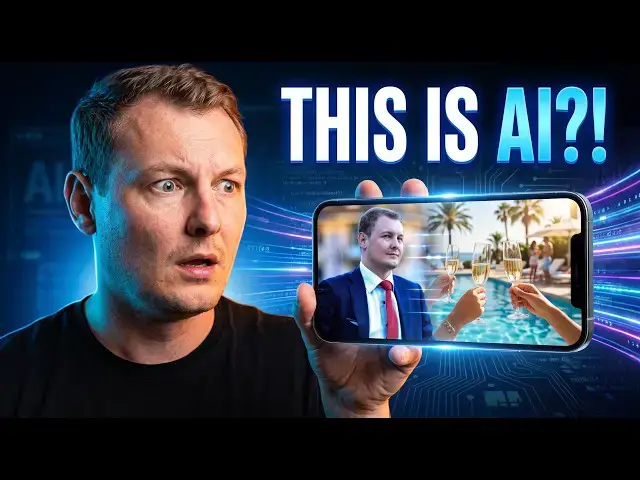
But the most interesting test was using several personal photos of myself. I gave Wan 3.0 a simple story and asked it to create a 30-second social media video — including a birthday celebration, a swimming pool, champagne and a party.
The result was much more impressive than I expected. It even created scenes that weren't directly present in my reference photos.
I also tested different video settings, aspect ratios, durations, audio, reference images and prompts to see how much control Wan 3.0 gives you.
One important lesson: your reference images and prompt need to match. If you give the model several very different pictures, it may not use all of them as expected.
OpenArt also lets you work with different AI video models from one platform, making it easy to compare models and experiment with the latest AI video generation tools.
👉 Try Wan 3.0 on OpenArt: https://yb.digital/art
#Wan30 #OpenArt #AIVideo #AIVideoGenerator #AI #AIAnimation #AIContentCreation #AITools #GenerativeAI #VideoGeneration
Show More Show Less View Video Transcript
0:00
W A N 3.0 model just dropped and it can
0:05
do amazing things. It can create videos
0:08
from a single picture. You can use a
0:10
reference image, a start and end image,
0:13
add audio, make it 480 to 8080p
0:17
and videos can last from 2 to 30
0:20
seconds. So, let's have a look. First of
0:22
all, let's connect to the AI tool. You
0:25
can find the link here in the
0:27
description or go to yb.digital/art.
0:31
And
0:32
I will show you the path once you are on
0:34
the
0:35
on the dashboard, go here to video on
0:39
the left side and here we will use this
0:42
tool to create a video. So, for example,
0:45
I in a previous video, I turned my logo
0:49
into a 3D world. So, here, let's have a
0:52
quick look at the 3D world. This is
0:55
um
0:55
This is a panoramic preview of the 3D
0:57
world. So, now let's see what 1 3.0 can
1:01
do with our logo. So, you can use your
1:03
company logo, you can use anything. So,
1:07
first we have to
1:09
uh we need to use a reference video. So,
1:11
for example, we can actually use our
1:14
world.
1:15
Uh we can use anything.
1:17
Um but let's check for my logo here. I
1:20
uploaded my logo.
1:22
We need to
1:24
uh describe
1:26
the action in detail.
1:28
Uh so, let's give a short description.
1:31
So, yb.digital
1:33
is
1:34
um
1:35
media network
1:37
focused on digital
1:42
information,
1:44
uh reviews, and news. And here we will
1:47
use a model 1 3.0. So, it might not be
1:50
selected by default the first time you
1:52
come here. So, you have to click on
1:54
model. Probably seedance 2.5 will be
1:56
selected by default and scroll. You
1:58
might have to scroll more than I did
2:00
here to select 1 3.0 the new model.
2:05
All right. Then what options we have? So
2:07
just like this turning our logo into a
2:09
video would cost 100
2:12
uh 100 credits. So we can use more we
2:15
can create more videos if we want.
2:18
All right and it is unlimited until
2:21
August 31st. Oh.
2:24
Okay.
2:27
Um then we can uh oh we can remove audio
2:29
if you want but we want audio actually.
2:31
It cost no credit which is pretty rare.
2:33
Usually it cost credits to add audio. So
2:35
here we will add audio for free.
2:37
We will choose the output.
2:40
Uh so maybe here in that case we want uh
2:43
we want to use it on Instagram so we
2:45
want a free four um
2:48
video because it displays well on the
2:50
Instagram
2:52
uh
2:52
profile when you look in
2:54
Instagram profile. If you do it 9:16 is
2:56
good for stories but the reels are
2:58
cropped on the
3:00
on the
3:02
on the Instagram page. Then we can
3:03
choose the resolution. So here 480p is
3:06
fine and we can choose the duration.
3:08
Okay, 5 seconds is good.
3:12
Okay, let's just give it 5 seconds and
3:13
see what it does. And now let's generate
3:17
uh
3:18
5 seconds video just based on our logo.
3:22
And again uh yesterday we created um
3:25
uh 3D world. So this is the 3D
3:27
world we generated just from our company
3:30
logo and you can do it of course with
3:32
any picture. Now it is generating. Let's
3:34
hope it doesn't take too long to
3:36
generate a 5 seconds
3:39
video and then actually we will do the
3:42
same so maybe we can start at the at
3:44
same time. So we also created with um
3:47
with a GPT image tool some um
3:51
with let AI be creative on headshot. So,
3:53
for example, let's do the same now with
3:55
my headshot. Again, using 1 3.0. So, I
3:59
will use uh
4:02
I will use my uploaded headshot. Yeah,
4:05
simple headshot.
4:07
Oops, I clicked one time too many.
4:11
Just click once. Okay, and um
4:15
let's say I am a digital
4:19
consultant
4:20
uh
4:21
professional and uh world's best in his
4:26
field. Uh what are you mean? You need to
4:27
give some context to a 1 3.0. So, you
4:31
need to describe
4:33
it a little and then let's say he solves
4:37
any
4:38
uh clients'
4:41
problem uh related to
4:43
digital. All right. Uh we have several
4:46
options. We can uh select the type of
4:49
camera movement. So, here we have a lot
4:51
of camera movement. We can choose a pan
4:52
left, pan right, tilt, tilt down, zoom
4:55
in, and so many more. Oh, wow, orbit
4:57
360. We have so many shots we can do so
5:00
much. But here we will let the AI be
5:01
creative. Uh just give a little context
5:05
so it knows what we are talking about,
5:06
but it might not extract from the uh
5:09
from the picture we give it. Uh we also
5:11
have different modes. We have standard
5:13
and prime. So, the prime cost more
5:16
credit. Not sure if it changed uh
5:18
anything. Uh let's um keep it for
5:20
another video where we would just
5:22
compare the two.
5:23
And now let's go on generate.
5:28
All right. Oh, the first animation is
5:31
done. So, let's have a look. It took a
5:33
little less than 2 minutes. Oh, wow. All
5:35
right.
5:36
>> [music]
5:41
>> Wow, very good. So, a very uh great logo
5:45
animation, 5 seconds long the
5:46
animation uh made in 1 minute. It looks
5:50
pretty good, actually.
5:52
Um
5:53
Yeah, looks amazing. I mean, nothing to
5:56
add. And then, we can use it, so we can
5:58
modify the video, we can recreate the
5:59
video, we can grab a single frame.
6:02
That's very interesting. So, this is
6:04
a tool that is only available on
6:06
on OpenArt. Again, link is on top here,
6:08
open
6:10
uh yb.digital/art,
6:11
or in the description.
6:13
And any frame we like, we can just
6:16
download it for free. Oh, that's
6:18
amazing. I didn't know about this
6:19
functionality. Uh
6:22
Yeah, so it's great. And finally, I will
6:26
try to let it be more creative. So, I
6:28
will give it a personal picture.
6:31
And uh try to uh
6:36
let it do something fun. So, here, the
6:38
latest picture I took of myself. Let's
6:40
have a look what it can do with this
6:43
picture. I will try to create a longer
6:46
video. Let's say it was my birthday. My
6:49
character is Michel Pinson
6:52
uh celebrate
6:54
his birthday by the swimming pool, and
7:00
he's
7:01
waiting for
7:02
champagne shower. Um not waiting,
7:05
getting.
7:07
Let's say
7:08
he's taking champagne shower
7:10
before going to party.
7:15
Um
7:16
Actually, maybe we can
7:18
add more more images. So, let's
7:21
give him more images. Let's give him my
7:23
personal uh images.
7:26
Uh here, a picture of myself eating a
7:28
burger.
7:29
Here, a picture of myself
7:32
uh grabbing uh breakfast. Maybe let's
7:35
try to download more pictures. So, here,
7:38
for example, a picture of myself at the
7:41
party, and
7:43
let's see what it can create. Here I
7:46
will upload one more personal picture,
7:48
so we'll give him four personal pictures
7:51
and see if it creates anything uh
7:54
anything fun.
7:56
All right, the four pictures are
7:58
selected
8:00
champagne shower uh we will
8:03
uh let's say let's be creative with
8:04
beautiful uh
8:06
women
8:08
uh in
8:10
bikini at the pool
8:13
before going to
8:15
uh let's see if I don't have uh maybe
8:17
better pictures. No, okay, that's
8:19
enough.
8:20
Before going to
8:22
amazing party. All right, so here we let
8:26
it be more creative and I will give it
8:28
more time. So actually it will even
8:30
create an Instagram reel. So
8:33
let's
8:35
give it 30 seconds. Let's it let it make
8:38
uh 30-second video. We'll see how long
8:40
it takes. It goes 600 credit. All right.
8:44
Uh master now with audio.
8:46
Let it uh create something fun.
8:49
Meanwhile, it has animated
8:52
uh my professional headshot, so let's
8:54
have a look at the created video.
8:59
>> Any [music] digital challenge has a
9:00
solution.
9:02
>> Wow, uh the video is amazing. It is It
9:05
is too short. Um I only created a
9:07
5-second video. That's far too short,
9:10
but wow, it's amazing. Now, uh okay.
9:13
Actually it's so good. Let's try to make
9:15
it a 30-second video that I can share on
9:18
social because this 5 seconds is is too
9:19
short. So uh let's uh
9:22
click the use button. We'll modify the
9:24
video. So here we go back to what uh we
9:28
gave uh no.
9:30
Uh I want to start from scratch.
9:34
Uh uh recreate video. Yes, here.
9:37
Recreate video and it takes back uh, the
9:40
image I uploaded
9:42
and it it got uh, it got the description
9:45
I gave and it selected although the same
9:47
model. Now, let's make it a 30 seconds
9:50
video
9:51
that we can maybe
9:53
uh, reuse uh, publish on a LinkedIn.
9:56
Uh,
9:57
okay. Let's maybe give it more context
9:59
because we will switch to 30 seconds so
10:01
it needs a little more context.
10:03
He is
10:05
uh, world
10:07
uh,
10:08
renowned SAP
10:10
uh,
10:11
project
10:13
manager.
10:15
He has
10:16
been elected world's
10:19
second
10:21
best independent
10:24
web
10:25
publisher.
10:27
Um,
10:28
he sold
10:30
um,
10:31
problems for
10:33
big company for
10:35
uh, multinationals. Okay, for
10:36
multinationals.
10:38
Maybe we give it also the logo.
10:41
I'm not sure. No, let's let's just let's
10:42
just give him uh, the headshot and let
10:44
it be creative. So again, change the
10:46
output here. Very important to select
10:49
the output we want so we will we will
10:50
keep a 3.4
10:52
because 3.4 is better uh, to share
10:54
especially on Instagram. Uh,
10:57
so it's not the best for story. If you
10:58
want to create a story you should use
10:59
this and if you want of course to and
11:01
turn it into long form video maybe or
11:04
add uh, maybe it's better for free or 69
11:07
but here we'll keep 34 and we will give
11:09
it 30 seconds.
11:10
Be creative.
11:12
Be creative 1.3.0.
11:15
All right, all is good and we can
11:17
generate. It costs 600 credit with
11:20
1.3.0. So here of course we can see it
11:23
takes much longer to generate
11:26
uh, the video so here we are already at
11:29
nearly 3 minutes generating while the
11:32
previous videos, let's check if we can
11:34
have the statistics.
11:35
Uh,
11:36
we don't have statistics now. We don't
11:38
know how long it took
11:40
to create the videos. Uh, I didn't have
11:42
a look at it, but it was probably
11:44
between 1 to 2 minutes. So, now, as it
11:47
is uh six times longer,
11:50
uh, it should take at least six times uh
11:52
more.
11:55
All right. So, well, that that was to be
11:59
expected. Uh,
12:01
so, in any case, we have on this tool so
12:04
many models available. We have the
12:06
latest models always available, and
12:08
right now 1.3.0
12:11
is the
12:12
uh model to uh to use. Uh, right now it
12:14
is accessible as um unlimited version.
12:17
It might not be the case anymore um
12:20
if if you wait too long. So, uh register
12:22
now, and
12:23
and uh we can always select the models
12:26
by filtering on the provider, and by
12:30
filtering on the feature. So, do we want
12:32
a reference image? That's what we did
12:34
now. We gave our own picture to uh
12:37
generate a video based on that
12:39
uh that image. We can also give a start
12:42
and end
12:44
picture. So, it will start on a given
12:46
frame, and end on another frame. So,
12:48
that's very good if you want to generate
12:49
several
12:51
uh videos, and you want uh them to um
12:54
to to be a continuous to each other. So,
12:57
for example, the end frame of a
12:59
video will be the start frame on the
13:01
next video. So, you can generate video
13:03
after video like that.
13:05
Uh multi-shot. So, if you want
13:07
uh several um several um scenes inside
13:11
your video, if it can generate audio,
13:14
and if it can go up to 4K resolution. Uh
13:19
Well.
13:20
So, of course, uh every time you use
13:22
some functionalities, it costs
13:24
more credits. So, meanwhile, let's have
13:27
a look at uh credits, maybe.
13:29
So, you can easily purchase create
13:32
credits on this platform. Again, link is
13:34
on the top, yb.digital/art, or in the
13:36
description. And it starts at only $13
13:42
per seat per month
13:44
with an annual plan. If you go on the
13:46
monthly plan, it's only $14 a month. And
13:49
of course, the best value plan is $240
13:53
a month with the Wonder plan, which goes
13:55
down to $175 if you pay annually.
13:59
And you can generate so many so many
14:03
videos. You can generate thousands of
14:06
hundred thousands of images. You can
14:08
access director, so you can actually
14:10
create um
14:12
full-scale long videos. The director
14:15
will create all the scenes for you, put
14:17
them uh together, and you will get
14:21
videos already to publish on
14:23
on YouTube or anywhere you want. You can
14:25
have up to 32 generations. So, right now
14:28
we are using two of them.
14:30
Uh two parallel generations.
14:32
So, of course, with the best plan, you
14:34
can do so much. And here we go. Our
14:37
video has been generated. So, 30 seconds
14:39
have been generated in less than 4
14:40
minutes. Let's have a look. The personal
14:43
pictures turned into an amazing video, I
14:46
hope.
14:58
>> [music and singing]
15:08
[music]
15:13
[music]
15:20
>> It did work well. That's actually
15:21
amazing. This video is ready to publish
15:24
on social and it looks It looks so real.
15:28
Wow.
15:30
Wow, that's amazing. Everything is is so
15:32
good. So, here
15:33
this picture it replaced the burger I
15:35
had in my hand with a glass of
15:37
champagne. Okay, that's that's funny.
15:41
Here I look lost in a club and it
15:43
totally generated this scene. I did not
15:46
give a
15:47
picture from this scene. Okay, so it did
15:50
not use one of the four pictures I gave,
15:52
but maybe it's too many pictures.
15:54
The pictures are too diverse
15:56
and also the description doesn't match
15:58
the first picture. So, make sure all of
16:01
the context you give the prompt is
16:03
matching the reference pictures. And
16:05
wow, actually this video is amazing. I
16:07
can publish it on my personal social.
16:10
This is so much fun. All right.
16:13
Wow, I love this new model 13.0 and the
16:16
professional video has been
16:18
generated. So, let's see if I can
16:19
publish it on my professional
16:21
networks on LinkedIn and all. And again,
16:25
try for yourself.
16:27
Open art
16:29
and you have the link on top or in the
16:30
description. And with the latest model
16:32
13.0 you can create amazing videos.
16:39
>> [music]
16:50
>> In a world of [music] digital
16:51
complexity, you need more than just
16:53
answers.
16:55
You need clarity.
16:58
>> [music]
17:09
[music]
Science