
Complete Walkthrough Create Your Own AI Powered Instagram Carousel!
Jun 27, 2026

Ten slides. Professional photography style. Consistent branding. My face in every image. Made entirely with AI in one session — here's the exact workflow from brief to published post.
🎨 Try FlexClip AI image generation: 👉 https://yb.digital/flex
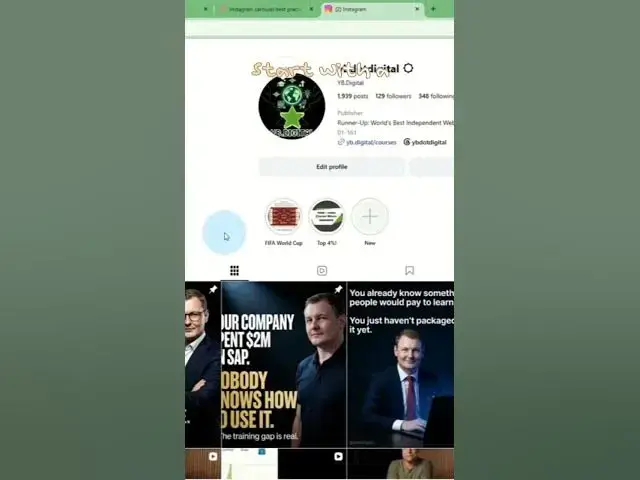
📸 See the result on Instagram: 👉 @ybdotdigital
In this full tutorial I walk through the complete process of creating a branded Instagram carousel using Claude for the strategy, prompts and caption — and FlexClip for AI image generation. I show how to write detailed per-slide image prompts that produce intentional, consistent results, how to use reference images so the AI generates your face instead of a generic person, why 4:5 ratio is the right choice for Instagram carousels over 1:1 or 9:16, how to pick the right AI model (Google Nano Banana for portrait photography quality at 4K), and the practical trick of downloading images in reverse order to save time on the Instagram upload reorder.
The carousel pinned at the top of @ybdotdigital was made exactly this way — Claude for the brief and copy, FlexClip for the images.
✅ Claude writes 10 image prompts + full caption + first comment with hashtags
✅ FlexClip Text to Image — multiple AI models including 4K support
✅ Reference image upload — your face in AI-generated images
✅ 4:5 ratio — why it beats square and vertical for carousel grids
✅ Google Nano Banana model — best for portrait photography style
✅ Reverse-download trick — save time on Instagram slide ordering
✅ Full workflow from brief to pinned post — under 15 minutes
💬 Have you tried AI image generation for Instagram? Show us your result below ↓
🔔 Subscribe for more AI content creation workflows.
Show More Show Less #Science