Up next in 10


AI video for LinkedIn can turn your expertise into short, professional content without filming every episode yourself.
Create your own AI videos here: https://yb.digital/art
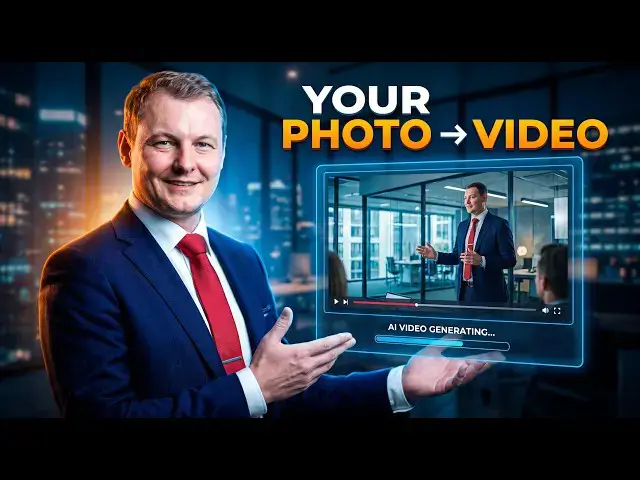
In this video, I create a 15-second cinematic corporate consulting video using my own professional headshot as a character reference. The goal is to build a repeatable mini-series for LinkedIn where each video demonstrates expertise, explains a real consulting problem, or tells a short story based on my professional experience.
I use yb.digital/art to generate the video through its chat interface, upload my own image as a reference, and use Seedance 2.5 to create the final corporate video with generated audio.
I also walk through some important decisions when generating AI video for professional content:
Using your own image as a consistent character reference
Choosing 16:9 for LinkedIn
Selecting 480p, 720p or higher resolution based on credit cost
Generating video with or without audio
Controlling video duration and credit consumption
Using Director Mode when multiple shots need to remain coherent
Why relying on AI-generated on-screen text can produce bad results
How the same workflow can be adapted for Instagram and other platforms
The result is a short corporate video designed to communicate digital consulting expertise through AI-generated storytelling.
#AIVideo #LinkedInVideo #AIContent #Seedance25 #AIGeneration #DigitalConsulting #GenerativeAI #VideoGeneration
Show More Show Less View Video Transcript
0:00
Last time I generated a 30 seconds
0:02
[music] professional video based on my
0:05
character explaining who I am. I'm a
0:08
digital consultant [music] professional
0:09
and world's best in my field. I solve
0:11
any clients problems related to digital.
0:14
And here's the video I got. [music]
0:15
>> In a world of digital complexity, you
0:18
need more than just answers. You need
0:20
clarity.
0:23
>> But now I will go even deeper. So I will
0:26
generate [music]
0:27
videos that I can then upload on
0:30
LinkedIn showing my expertise and
0:33
solving solutions making it a kind of
0:36
mini rep series. So for that I started
0:39
by asking Chad GPT to generate a stories
0:42
based on on my life because it knows
0:44
already my professional background and
0:46
here I have the first episode a
0:48
cinematic ultra realistic 15-second
0:50
corporate consulting video featuring
0:53
myself. So I copy paste the script and I
0:56
go to yb.digital/art
0:59
for the best inclass video generation
1:02
tool. Then I go uh here inside the chat
1:07
mode the chat mode to create anything.
1:09
And I just tell it I want to create a
1:12
cinematic draw realistic 15-second
1:14
corporate computing video. I should also
1:18
make sure that it uses uh assets. It
1:22
uses my picture. So I go to my upload
1:25
and I select my professional headshot
1:29
with my professional headshot including
1:32
I can also reference here the picture.
1:37
So it is clear to the AI uh that I am
1:42
the one to feature. Now uh all we have
1:47
to do is to go.
1:51
So that's all I have to do. go into the
1:53
chat mode, tell it tell it what I want
1:56
to do. So here I have a very long script
1:58
about what I want to do and he
2:01
understood a corporate movie. I don't
2:03
know why it switched to French but uh
2:07
apparently it can also switch to French.
2:10
I'm not sure where it mentioned but it
2:12
should be in French. Uh okay, it is for
2:17
LinkedIn. I also
2:21
uh yeah, we can also include a logo. So
2:25
uh I don't really want to add my logo
2:28
here. Um okay, so here I want no logo. I
2:33
want uh discrete music. Okay, I want it
2:36
to stop. Uh so switch
2:41
to English. I don't know why switch to
2:43
French. Final video should be
2:49
uh 15 seconds maximum. I want it short.
2:55
All right. Now it's back in English. I
2:58
hope it is getting started and it will
3:01
probably keep asking questions for what
3:03
it doesn't know. Uh so here we go. This
3:06
because this is a multi-shot corporate
3:08
narrative. The key choice is whether to
3:10
generate it here as a compact video or
3:12
build it in the hands-on editing
3:14
workspace. So here I want a simple uh
3:17
simple video. I want to generate here
3:20
with C dense 2.5 model which is actually
3:23
the recommended model. Another option if
3:26
you want to go deeper if you want to
3:27
create something more elaborate is to
3:29
use the director mode where you can link
3:32
different shots together. They will be
3:35
stitched together. they will keep
3:36
coherence because if we create different
3:39
shots without the director mode they
3:41
will all be separate. So here we
3:44
generate with C dance 2.5 and we make it
3:47
for LinkedIn. Uh now what song treatment
3:50
should the final video use? Again subtle
3:53
corporate plus meeting ambiance the uh
3:57
recommended
3:59
we could also select just music or voice
4:02
over but it should be simple. Now the AI
4:06
is already great. It will use the
4:08
uploaded portrait as a character
4:10
reference shape this as a polished
4:11
LinkedIn ready film and keep the audio
4:14
understated corporate score room tone
4:16
and restrain interface sounds. It is now
4:19
preparing the video and I have to
4:23
confirm what I want to do. So the
4:26
confirmation card for 15 seconds format
4:30
169. So horizontal format 1,80p video
4:33
with my reference image and generated
4:35
corporate audio. I have to review and
4:38
confirm. So actually I didn't specify
4:39
but I don't want 180p. Um here I will
4:44
use the some more cheap model. So here,
4:48
if I was to use a C dance 2.5 to create
4:51
a 15 seconds video, it would cost 3,500
4:55
credits because I chose the highest
4:57
resolution. So here I will check in
5:00
720p, it's already nearly half the
5:03
credits. So because now there is a
5:05
discount on credits. So it depends of
5:08
course when you will generate the video,
5:09
but more or less let's say half credits.
5:11
And if I go lower to 480p, now I have
5:16
I'm only at 9005 credits for a 15
5:20
seconds video, which seems pretty good.
5:23
I can also change the format here. So,
5:26
I'm not sure what is best for LinkedIn.
5:28
Maybe for free might be better.
5:30
Although, if I want to use it also on
5:33
Instagram, then free four is the best
5:36
format because it displays perfectly on
5:38
the on the on the grid. So maybe
5:43
actually I will switch to free force so
5:45
it works everywhere. It also displays
5:47
good on mobile phones. It doesn't take
5:50
up the whole screen. So if you see the
5:52
video, you can also see a bit of the
5:54
description or the comment section below
5:56
with that video because if I select 916
5:59
here, it will take up the whole screen
6:00
on mobile. In fact, if I select 169, uh
6:06
well, it could also be good actually,
6:08
but then it's harder to upload it on
6:10
other platforms and for mobile again
6:12
because we uh I target LinkedIn, but I
6:15
will also publish it on um on Instagram.
6:19
Um
6:21
yeah, so this is always a difficult
6:23
decision, but uh okay, let's trust today
6:27
the AI. We will leave it in 169 for
6:29
LinkedIn and for Instagram we will later
6:32
resize it when publishing. All right,
6:34
let's generate with audio on of course
6:36
because we want the video model to also
6:39
add audio. So just to have a look if we
6:42
don't use audio actually it doesn't take
6:45
uh it doesn't cost any credit. So it's
6:47
better to simply allow the audio to be
6:49
added. And here we go. If I was to
6:52
charge to change the duration of course
6:55
it would change also the credit cost. So
6:57
if I just remove one second
7:00
up, it's directly 50 50 credits less. So
7:05
I will stay at 15 seconds. Let's hope
7:07
it's a good video. And the directions I
7:11
gave I provided to the model were good
7:14
enough. We can now see the progress. It
7:16
is generating.
7:18
So we don't have a progress bar. We
7:20
don't know how far are we in the
7:22
generation process. Uh it can take any
7:25
amount of time. Generally for 15 seconds
7:27
video it should take between one to two
7:29
minutes and on the left side here it the
7:34
AI reminds us what we have chosen. We
7:36
are generating a 15 seconds corporate
7:38
consulting film uh using Cens 2.5 model
7:44
15 seconds maximum 169 format horizontal
7:48
480p output the lowest resolution.
7:52
uh we use the reference image provided.
7:55
We generate audio in the video and it
7:58
will be a cinematic multi-shot narrative
8:00
the exact oncreen messages provided. Now
8:03
the render is in progress. I'm a little
8:06
worried about the onext screen messages
8:08
because in incorporating
8:11
text on videos usually doesn't end very
8:14
very well. As we've seen in the previous
8:16
video I've generated here. [music] If we
8:20
pause and we just go to the last part
8:22
where it shows on screen text, we can
8:25
see here many problems. We try to
8:29
incorporate a whole sentence and some
8:32
words are just funny.
8:35
Not sure what exactly it tried to
8:38
incorporate, but the wording is funny.
8:40
So don't rely on uh text uh text above
8:47
video when generating videos. So again
8:50
link is in the description
8:51
yb.digital/art
8:53
to try this amazing tool and upon sign
8:56
up you get some free credits with your
8:59
account to try at least image
9:02
generation. Start from there and see if
9:03
you want to keep going. But the tool is
9:05
amazing. It features uh unique
9:08
functionalities
9:10
such as the director mode, director mode
9:13
to generate any video, any length you
9:15
want and to keep consistency um along
9:19
the video because any video you create
9:22
is made up of shots. And to have these
9:25
shots linked to each other, you need a
9:28
director mode to make sure that they all
9:31
go together. And it also has a 3D world
9:35
generation tool that is unique to this
9:37
tool and is is amazing. So if you have
9:40
enough content if you have your own art
9:42
artwork um or any any content you may
9:46
have you can turn it into a whole 3D
9:49
world inside which you can move freely.
9:54
Now we are already at uh nearly three
9:58
minutes of generation
10:00
170 seconds. Now the video should be
10:04
ready very soon. Usually that's what I
10:07
observed with with this kind of videos.
10:11
We are above now 3 minutes. All right.
10:15
Still not too bad for now. But this is
10:18
maybe just one thing I think is missing
10:22
here to have a progress bar. That
10:23
generally is the same with most
10:26
generative AIS. You know when you start,
10:28
you don't really know when you finish.
10:30
And meanwhile, it is using credits.
10:35
All right. But let's hope here be fine
10:37
if we have a look at
10:40
credits. Um so here this is today. So it
10:44
has used 95 credits uh to uh ask CDEN
10:50
2.5 model to generate the video and also
10:53
some credits to talk with the AI. So
10:55
every time we request something to the
10:58
AI, it cost a few credit. For example,
11:01
this chat was two credits. This this
11:03
over chat was two credits. This depend
11:05
on the chat length. Here we go. Now we
11:09
are at four minutes generation. That's a
11:14
little longer than usual. Not sure if I
11:16
can have statistics
11:18
uh about how long the previous video
11:21
took to generate. I'm not sure this is
11:24
available. Probably not. Uh we have the
11:28
creation time but not the duration
11:33
for the generation of this video. So
11:34
this one was made with one 3.0 zero and
11:38
now we are making one with
11:41
C dense 2.5 model.
11:45
Now the numbers of each model are
11:47
unrelated. It it is um only related to
11:51
the models own to oh here we go and we
11:55
have now a video generated. So let's
11:58
check it out.
12:00
>> Regent chain enterprise ERP process s
12:12
Thanks, Vista.
12:16
And here we go. We have our video
12:18
generated. It looks pretty good. So to
12:20
generate your own videos, check
12:22
yb.digital/art
12:25
and enjoy creating amazing videos.
12:28
>> Regent Chain Enterprise ERP process app.
12:39
I think Vista.
Science